
A system around
the way you work.
Keystone (working title) is a white glove service for custom, enterprise-grade AI automation. We design, build, install, and maintain the system around your business.
A private AI system, fitted to the tools, records, and routines your team already uses. You stay above the day‑to‑day, with the visibility and control to step in when it matters.
Follow one workday

“What needs
me today?”
Imagine a distributor starting the day. Sales, cash, and deliveries have different stories to tell. The owner needs to know where to look first.An illustrative workday using real Keystone Distribution screens with generated sample data.
First, find the priority.Start with
the bottom line.
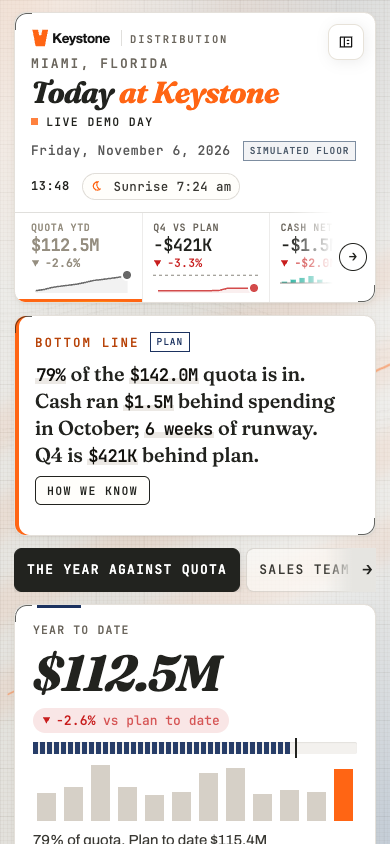
Today leads with a plain-language summary. In this example, cash pressure and six weeks of runway deserve attention. You can see the issue before opening every chart.
Then, get specific.Follow
the exception.
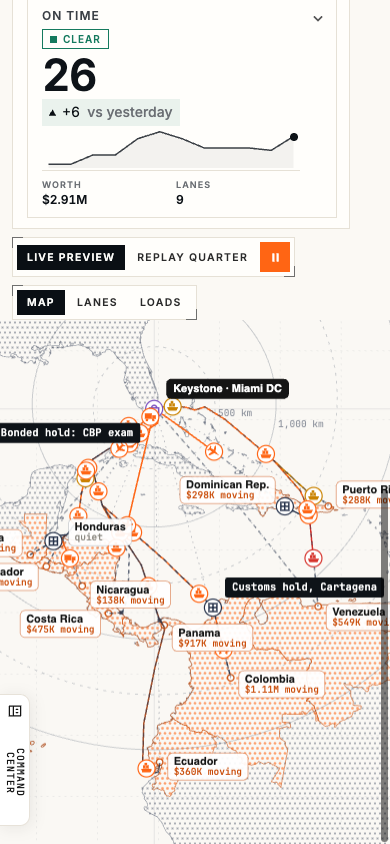
In Shipments, a load has a route and a status. The customs hold appears in the same view as the moving loads, so the team can investigate with a shared picture.
Keep the decision with you.Check the picture.
Make the call.
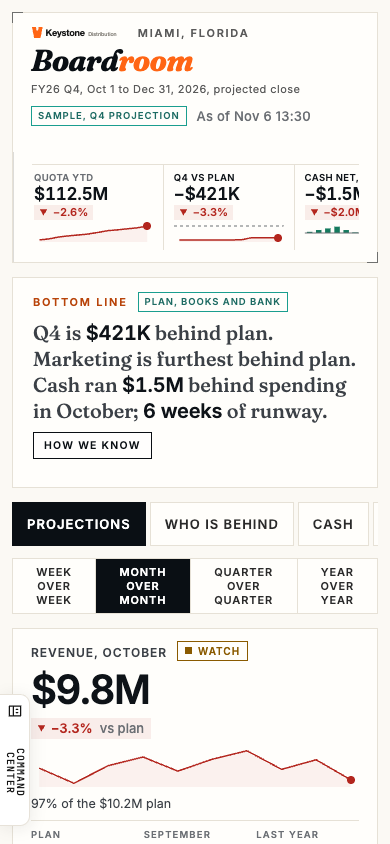
Boardroom brings plan, cash, and performance into the owner’s view. You can inspect how the summary was reached and decide what changes. Seeing the figures supports your judgment.
That’s the window.
Here’s the work
behind it.
During fitting, we connect the agreed sources, map the repeatable tasks, and define which steps can run and which need approval.
For that customs hold, a fitted follow-up workflow could gather the load’s updates, draft a customer message, and bring it to the operations lead. In this example, the lead handles the hold and approves the message. Sending and filing follow the agreed permissions.
AI helps prepare the work; the connected records keep its context within reach. External sending stays subject to human approval.
It starts with
your work.
White glove means we handle discovery, configuration, installation, and ongoing maintenance. You help us define the work and approve the decisions that need you.
Understand the work.
Walk through the handoffs, recurring tasks, and places where work gets stuck. Choose the first workflow and define what a useful result looks like.
Fit the system.
Configure the machine, connect the agreed tools, and give the team a shared workspace. Set the permissions and check the workflow before handoff.
Keep it current.
Maintain the system, update it, and adjust the fit as the business changes. The working relationship continues after installation.
The exact workflows, tools, model connections, permissions, and measures of success are agreed for each installation. The distribution example shows one industry’s fit.
Explore all five product rooms
Full screenshots from the same working sample. Choose a room, or open its image for a closer look.
Swipe across the room names to see more
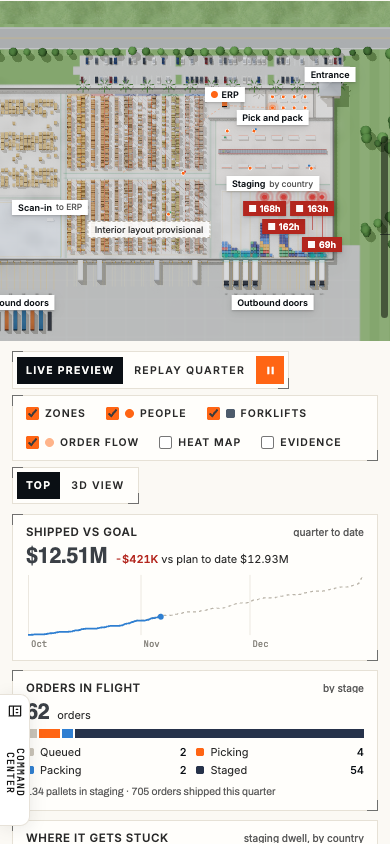
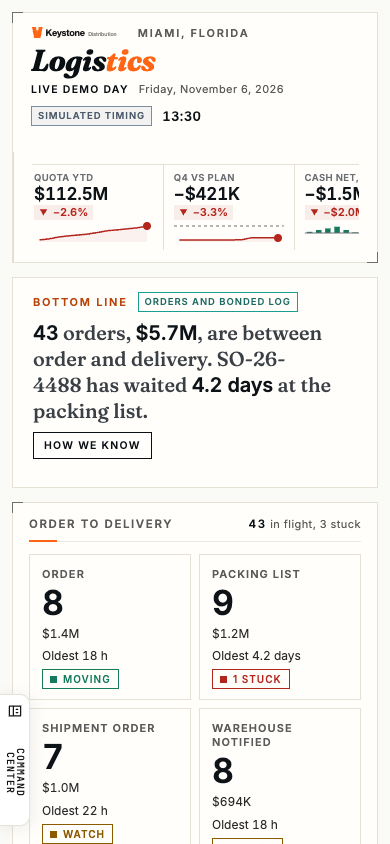
The accounts, figures, and dates shown here are generated examples. No client records are shown.
Above the day‑to‑day.
With the final say.
Stay close to what we’re building. Join the private list for occasional Keystone updates.
Join the private list Return to the story